How to Forget a Wi-Fi Network on Roku TV
Sometimes, you may want your Roku TV to forget a Wi-Fi network. It could be because you're changing to a new network or fixing a connection issue. Don’t worry, this is super easy!
Step 1: Turn on Your Roku TV
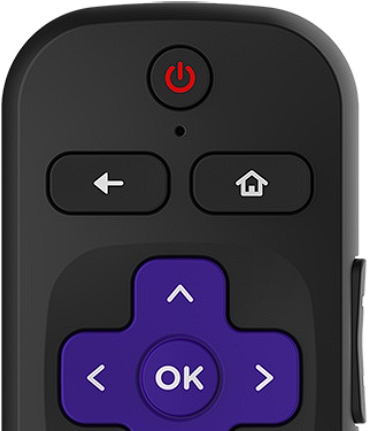
- Turn on your Roku TV using the power button on the remote.
- Make sure the TV is on the home screen (where you see the list of apps like Netflix, YouTube, etc.).
Step 2: Go to Settings
- On your remote, press the Home 🏠 button (it looks like a little house).
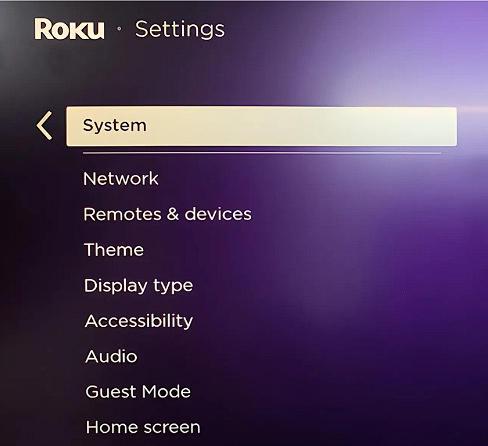
- Next, scroll down using the arrow buttons until you find Settings.
- Press the OK button in the middle of the remote.
Step 3: Go to System
- In the Settings menu, scroll down and select System.
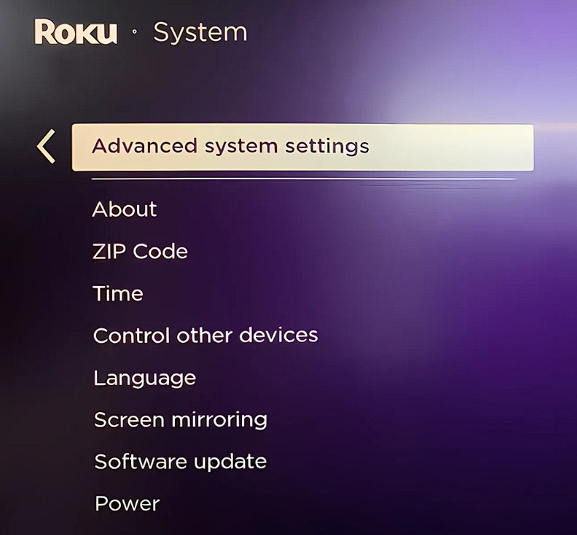
Step 4: Choose Advanced System Settings
- Under System, find Advanced System Settings. Select it.
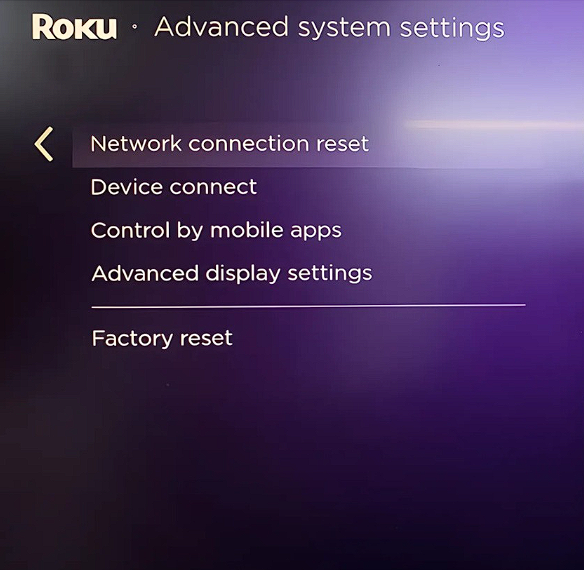
Step 5: Reset Network Connection
- You should see an option called Network Connection Reset. Select it.
Step 6: Confirm Reset
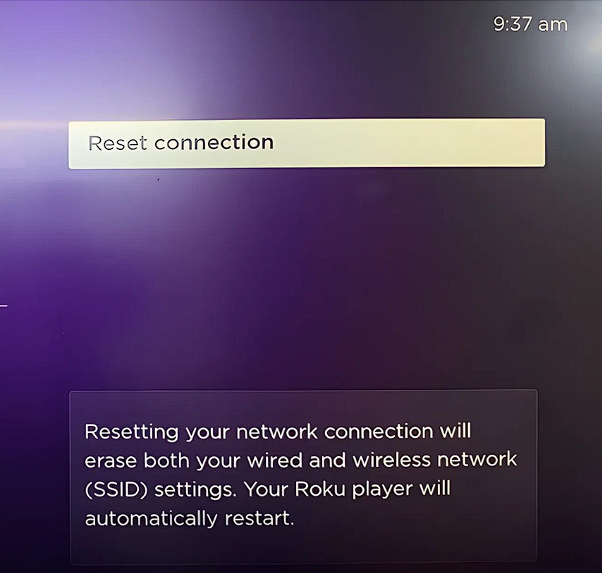
- You'll be asked to confirm if you want to reset your network connection. Select Reset Connection.
That's it! Your Roku TV will now forget the Wi-Fi network you were connected to. You'll need to reconnect to it again.
Remember: This will reset your network settings. If you have any saved passwords or other network information, you'll need to enter them again.
If you're still having with the connection, you can try and reset the TV back to factory default.
Need more help? Don't hesitate to ask! We can try another way or check for any specific issues you might be facing.
Don't hesitate to email us at support@boaterwifi.net or text/call us at: 949-850-WIFI (9434) if ever you get stuck or hit a road block.
Sources:
Related Articles
How to Forget a Wi-Fi Network on Your Sony Smart TV
How to Forget a Wi-Fi Network on Your Sony Smart TV 1. Find the "Home" Button Look for a button on your TV remote that says "Home" or has a house symbol on it. Press this button once. 2. Go to "Settings" On the home screen, use the arrow keys on your ...How to Forget a Wi-Fi Network on Your Samsung Smart TV
To forget a Wi-Fi network on your Samsung Smart TV, follow these simple instructions. Step 1: Access the Home Screen First, make sure your TV is turned on. Press the Home button on your remote control to get to the home screen. Step 2: Go to Network ...How to Forget a Wi-Fi Network on Your Apple TV
Here’s how to forget a Wi-Fi network on your Apple TV in the simplest way possible. I’ll walk you through it step-by-step, with easy instructions. Step 1: Go to Settings Turn on your Apple TV and use your remote control. Press the Menu button on your ...How to Forget a Wi-Fi Network on Your LG Smart TV
To forget a Wi-Fi network on your LG Smart TV, follow these simple steps. These instructions are designed to be easy to understand. Step 1: Turn on Your LG Smart TV Use the remote control to power on your TV. Step 2: Go to the Home Screen First, find ...How to Forget a Wi-Fi Network on Your HiSense Smart TV
It's a simple process, and I'll guide you through it step-by-step. Grab your remote! We'll be using it to navigate the TV menus. Press the "Menu" or "Settings" button on your remote. It might look like a gear or have three horizontal lines. Navigate ...