How to Forget a Wi-Fi Network on Your PlayStation!
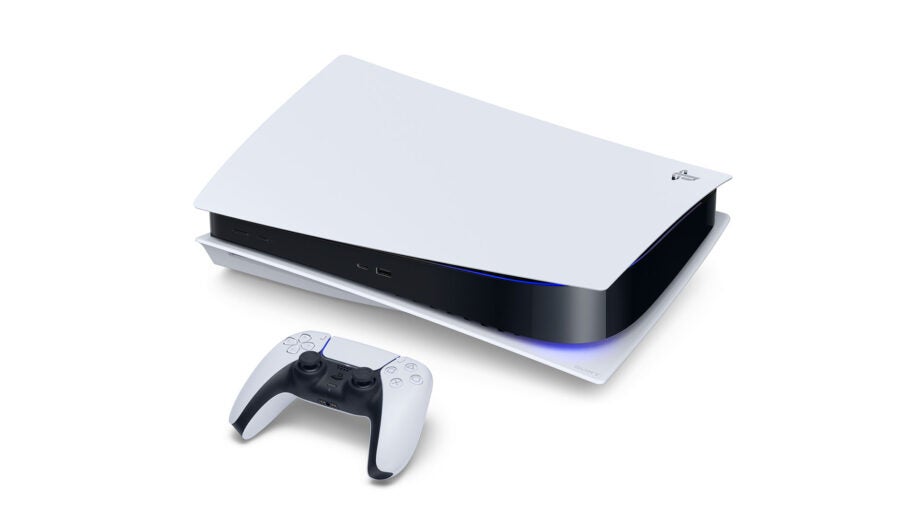
To "forget" a Wi-Fi network on your PlayStation, follow these simple steps. This can help if you need to reset your connection or remove an old Wi-Fi network from the console.
Step 1: Go to Settings
- Turn on your PS5 and press the PlayStation button on your controller.
- This will open the main menu.
- Use the directional buttons on your controller to navigate to the Settings icon. It looks like a gear ⚙️
- Press the X button to select it.
Step 2: Find Network Settings
- Once you're in the Settings menu, use the directional buttons to scroll down until you find the Network option.
- Select it by pressing the X button.
Step 3: Go to Internet Connection Settings
- In the Network settings, find the option that says Set Up Internet Connection.
- Select it with the X button.
Step 4: Select Your Wi-Fi Network
- You'll see a list of Wi-Fi networks your PS5 has connected to.
- Use the directional buttons to highlight the Wi-Fi network you want to forget
Step 5: Forget the Network
- Press the Options button on your controller.
- A menu will appear.
- Select the DELETE option.
Step 6: Confirm
- You'll be asked to confirm if you want to forget the network.
- Select Yes to proceed.
Note: The steps might vary slightly depending on your PlayStation model. If you're still stuck, you can always reach out to us! or contact PlayStation support.
Source:
If you have any questions or in need assistance feel free to contact us! Please send us an email to: support@boaterwifi.net or text/call us at: 949-850-WIFI (9434)
Related Articles
How to Forget Wi-Fi network on Samsung Galaxy phones!
Let's Forget That Wi-Fi Network! Don't worry, it's easier than it sounds! Step 1: Open the Settings App First, you'll need to get to the Settings on your Samsung Galaxy phone. This app looks like a little gear icon. You can usually find it on your ...How to Forget a Wi-Fi Network on an Xbox
To forget a Wi-Fi network on your Xbox Series X gaming console, follow these simple step-by-step instructions Step 1: Turn on Your Xbox First, press the Xbox button on your console or your controller to turn it on. Make sure your Xbox is up and ...How to Forget a Wi-Fi Network on Roku TV
Sometimes, you may want your Roku TV to forget a Wi-Fi network. It could be because you're changing to a new network or fixing a connection issue. Don’t worry, this is super easy! Step 1: Turn on Your Roku TV Turn on your Roku TV using the power ...How to Forget a Wi-Fi Network on Your Windows Computer!
Hello there! So, today we’re going to forget a Wi-Fi network on your Windows computer. It's very helpful if you are having trouble with your wireless connection. I will guide you step-by-step. This process is straightforward, and I'll explain it in a ...How to Forget a Wi-Fi Network on Your Apple TV
Here’s how to forget a Wi-Fi network on your Apple TV in the simplest way possible. I’ll walk you through it step-by-step, with easy instructions. Step 1: Go to Settings Turn on your Apple TV and use your remote control. Press the Menu button on your ...